


A clinic website checklist sounds like a job for your web developer. It isn’t. Your website is often the second thing a patient sees after your Google listing, and they decide in seconds whether to call you or the clinic down the road. This guide gives you a 12-point clinic website checklist you can run on your own phone in ten minutes, explains what the healthcare advertising rules in India and Australia allow on a website, and ends with a simple monthly routine to keep it all accurate.
This is general information for clinic owners, not legal advice. For a specific case, check with your legal adviser.
Table of Contents
Why your clinic website matters before the first call
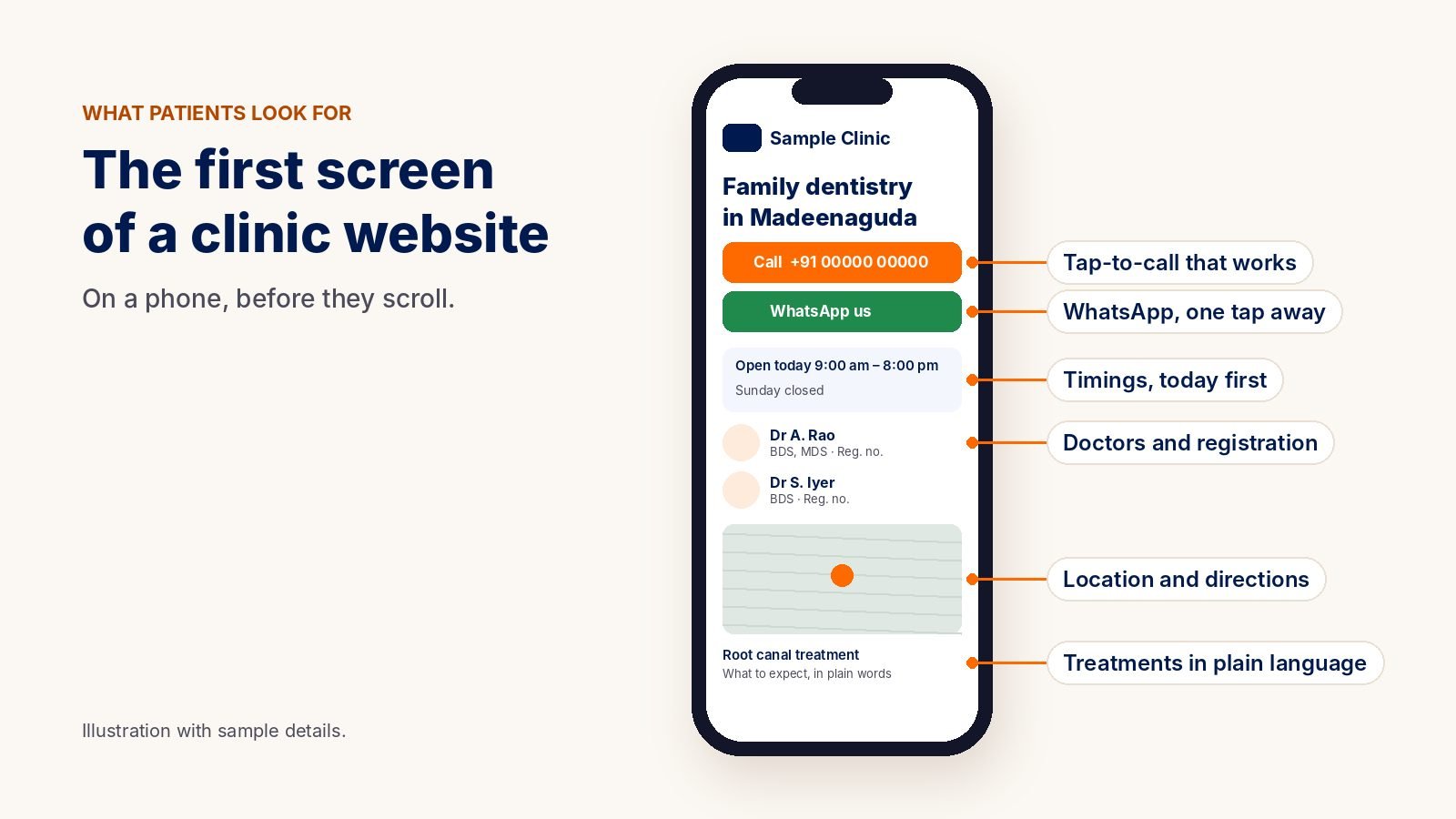
Patients rarely read a clinic website from top to bottom. They look for a few answers, fast: do you treat what they need, who will they see, when are you open, how do they get there, and how do they reach you. If those answers are hard to find, they go back to the search results.
Most of that happens on a phone. Google also mainly uses the mobile version of a site when it indexes and ranks it, so the phone view is the version that counts for search too (Google Search Central).
The 12-point clinic website checklist
Open your website on your own phone, not your office computer, and tick each point you can confirm in under a minute. Be strict: if you have to hunt for it, a patient will too.
Answers patients look for first
- 1. Treatments explained in plain language. One page per main treatment or service: what it is, who it is for, what to expect and how to prepare. Write for a worried patient, not for another doctor.
- 2. Doctors with qualifications and registration. Names, recognised qualifications, specialties, registration details and when each doctor is available. The NMC guidelines treat a hospital website directory of doctors as patient information, distinct from advertising (9.1).
- 3. Timings, location and directions. Today’s hours where they are easy to see, holiday closures, a map link that opens directions, parking and access information.
Contact without friction
- 4. Tap-to-call and WhatsApp on every page. On a phone, the number should dial with one tap, and a WhatsApp button should open a chat. Test both yourself.
- 5. A short form that says what happens next. Ask only for what you need, and confirm on screen how and when you will reply. Check that someone actually receives and answers form messages.
- 6. Replies out of hours. Many patients make contact in the evening. Decide who replies, and how fast, when the front desk is closed. Our guide to AI receptionists for clinics covers one way to do this safely.
Trust and the rules
- 7. No testimonials, before-and-after photos or “best” claims. The NMC guidelines restrict testimonials, before-and-after photographs and unverifiable claims such as “best” or “No.1” (8.1 iii, v, ix). In Australia, Ahpra does not allow testimonials about the clinical aspects of care. Our healthcare advertising rules guide explains both in plain language.
- 8. A privacy notice and consent on every form. Explain what you collect and why, and ask for consent before you collect health information. In India this sits under the Digital Personal Data Protection Act, 2023; in Australia, the Privacy Act 1988 and its Australian Privacy Principles (OAIC).
- 9. A reviewed date and who wrote it. For health information pages, show who wrote or reviewed the page and when. It helps patients trust the content and reminds you when it needs checking again.
Speed and care behind the scenes
- 10. Fast on a phone. Google’s Core Web Vitals give clear targets: the main content should appear within 2.5 seconds, the page should respond to a tap within 200 milliseconds, and the layout should not jump around while it loads (web.dev). You can test any page for free at PageSpeed Insights.
- 11. Easy to read and use for everyone. Readable text size, strong contrast, buttons large enough to tap, descriptive image text for screen readers, and forms that work with a keyboard. The international reference is WCAG 2.2 (W3C).
- 12. Kept up to date every month. Doctors join and leave, timings change, and holiday closures come and go. An out-of-date website is one of the quickest ways to lose a patient’s trust.
Score your clinic website
Count your ticks. The scorecard below is free to save or print for your team.
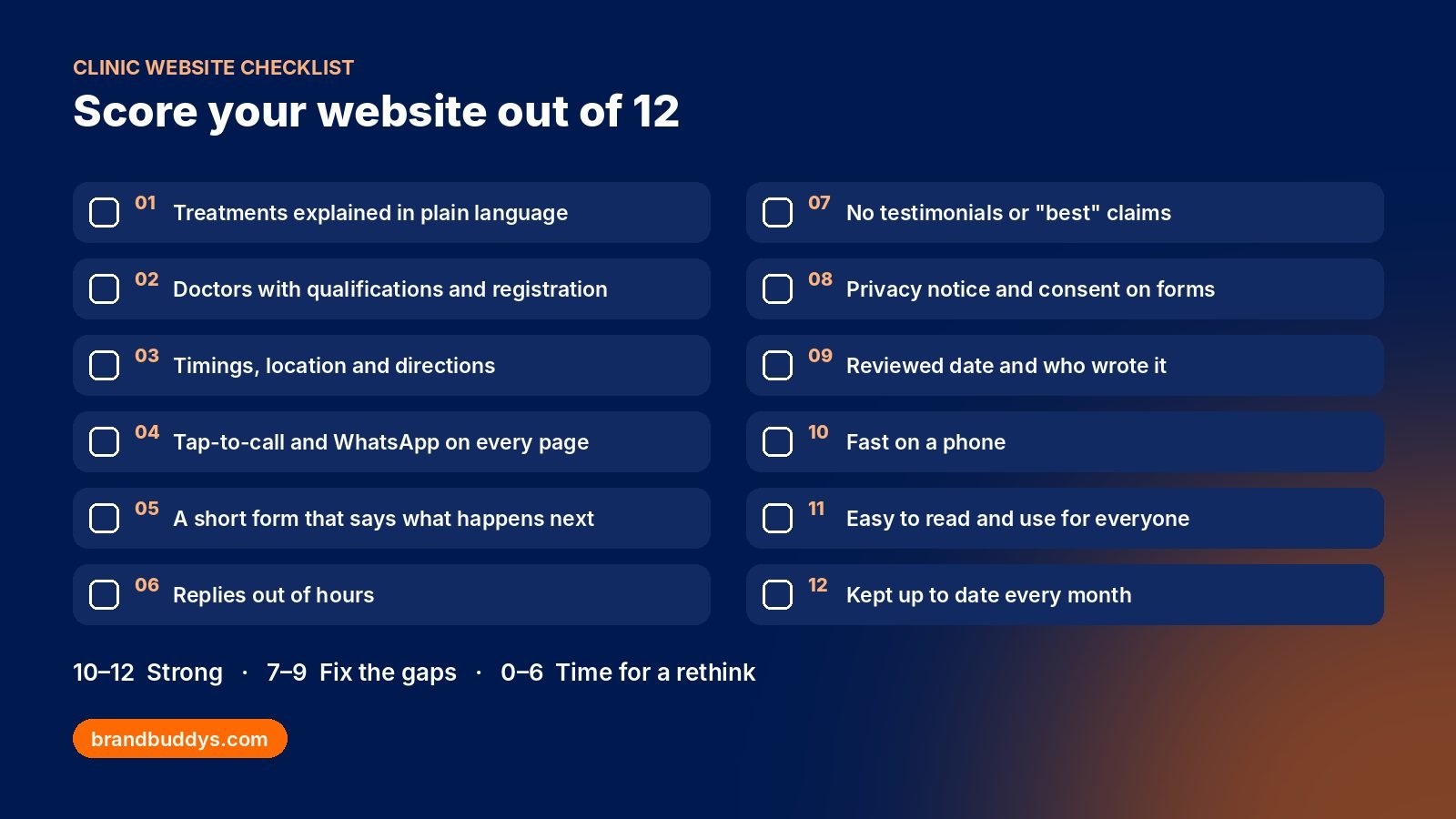
- 10 to 12: a strong website. Keep it that way with the monthly routine below.
- 7 to 9: good foundations with gaps. Most of these fixes take days, not months.
- 0 to 6: patients are probably struggling to find answers or to reach you. It is worth talking about a redesign, or at least a focused rebuild of the key pages.
Five common clinic website mistakes
- A beautiful homepage with no answers. Large sliders and stock images push timings, doctors and the phone number below the fold.
- Fees, timings or treatment lists in a PDF. PDFs are hard to read on a phone and easy to forget to update.
- A contact form nobody checks. Messages go to an old inbox or a staff member who has left.
- Claims you cannot prove. “Best clinic in the city” or “100% success” can break advertising rules and makes careful patients suspicious.
- An out-of-date doctor list. A patient asks for a doctor who left last year, and your front desk has to explain.
A simple monthly website routine
Website care does not need to be complicated. Put one person in charge and run these steps on the first working day of every month:
- Check timings, holiday closures and the doctor list against what the front desk is actually doing.
- Call the number and send a WhatsApp from the website on your own phone.
- Send a test message through each form and confirm it arrives and gets a reply.
- Read your two busiest treatment pages and correct anything that has changed.
- Make sure plugins, themes and WordPress are updated, and that a recent backup exists.
- Note the month’s enquiries from the website, phone and WhatsApp so you can see what is working.
If you would rather hand this over, website maintenance can be agreed as a fixed monthly scope. We look after websites this way for medical centres and dental clinics in Australia; you can see some of that work here.
Get a second opinion on your clinic website
If your clinic website checklist score surprised you, a fresh pair of eyes helps. Our free clinic audit compares your Google rating, reviews and Maps profile with the three nearest clinics and gives you the top three fixes, on WhatsApp or email within 1 working day. For a new or rebuilt site, see our website design service.